
MangaBoya - Webtoon & Comics
WhiteStar StudioComics
4.116.00 Reviews
- Version
- 2.1.2
- Installs
- 10.00K
- Age Rating
- Teen
Screenshots
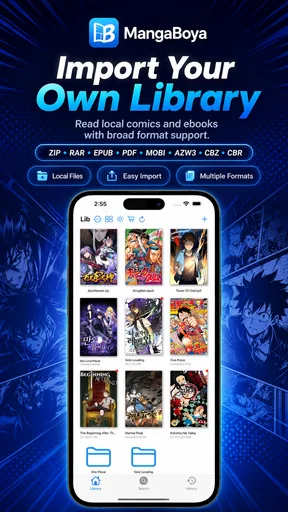
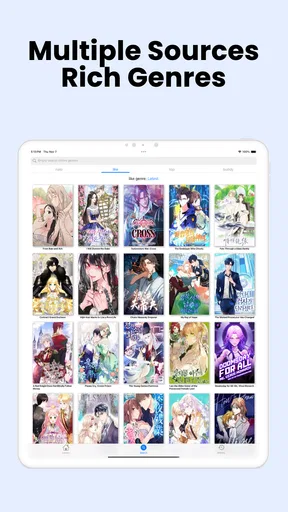
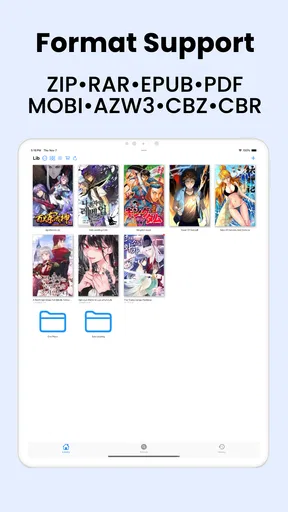
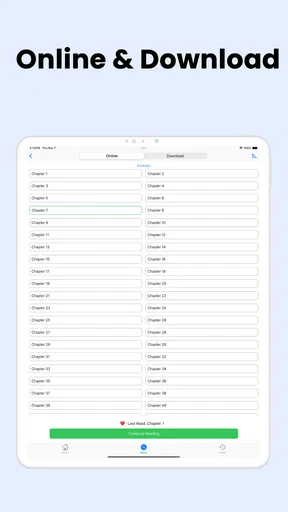
Our Review of MangaBoya - Webtoon & Comics
 Analysis by Appyee
Hey there, fellow manga and webtoon enthusiasts! If you're like me and can't get enough of your favorite stories, then you're probably always on the lookout for the next best app to satisfy your reading cravings. Well, I stumbled upon something pretty neat: MangaBoya - Webtoon & Comics. Let me take you through my journey with this app and see if it's worth adding to your digital bookshelf.
Where reading can get stuck
The basic appeal here is having manga and webtoons together in one place, but an all-in-one reader is only useful if it fits the way you actually read. I’d treat the first session as a quick test rather than immediately building a long reading queue: open a title, try the available reading layout, and check whether the images and pacing feel comfortable on your screen. A layout that works for a short chapter may be tiring over a longer session, especially if you prefer traditional page turns to continuous scrolling.
That small trial also helps separate app friction from ordinary network delays. If a chapter takes a while to appear, I would first give it a moment and try another title before assuming the whole library is unavailable. Large image files and busy periods can make loading feel uneven, and repeatedly tapping a slow screen may only make it harder to tell whether the request is still working.
A sensible first-session setup
MangaBoya is free to install, though it also offers in-app purchases ranging from $4.99 to $59.99 per item. I’d begin with the free experience and decide later whether any paid option is worth considering for my own reading habits. The app is from WhiteStar Studio, is currently at version 2.1.2, and is rated for teens. Those details matter if you’re choosing an app for a younger reader or checking compatibility: it requires Android 9 or later.
Before a trip or a long commute, I’d test offline reading at home by downloading a chapter and opening it with the connection turned off. That is more dependable than discovering on a train or plane that a chapter was never saved. It also gives you a chance to see how much reading you can comfortably prepare in advance without filling your device with chapters you may not get to.
Recovering your reading flow
Bookmarks are useful, but I wouldn’t rely on memory alone when switching among several series. I’d bookmark a title as soon as I decide to follow it, then make a habit of returning through that saved entry instead of searching again. For a weekly reading routine, that simple approach makes it easier to keep a few ongoing stories separate from whatever you are sampling casually.
If a chapter seems to stop loading, I’d avoid changing several settings at once. First check whether other content opens, then retry the affected chapter when the connection is stable. If only one item is slow, the issue may be tied to that file rather than your whole reading session. If everything feels sluggish, pausing and reopening the app is a more useful test than repeatedly switching between reading modes.
When the app may not be the cause
A rough reading session isn’t always an app problem. A weak connection can interrupt online browsing, while a device running short on free space may make downloads less convenient. I’d check those basics before blaming the reader, especially if offline chapters work but new ones do not. For a shared family device, the teen content rating is also worth considering before handing the app to a younger child.
The larger question is whether a broad comics reader suits you better than a service centered on a particular publisher, series, or reading community. MangaBoya’s mix is appealing when you want to browse across manga and webtoon styles without jumping between several apps. A specialist service may be a better fit if you mainly follow one publisher’s catalog or want its particular account, discovery, or release workflow. I’d choose based on where the titles you actually read are easiest to follow, not just on how long a catalog sounds.
First Impressions Matter
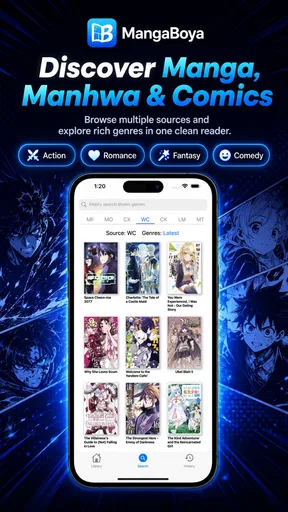
When I first downloaded MangaBoya, I was immediately struck by its sleek and user-friendly interface. You know how some apps are just cluttered and overwhelming? Not this one. It felt like slipping into a comfy chair with a cup of tea and a good book. The app is designed to make navigation a breeze, and I was flipping through my favorite series in no time.
Diving into the Content
Alright, let's talk content. The library in MangaBoya is impressive. It's like having a mini comic book store right in my pocket. From classic manga to the latest webtoons, there’s something for everyone. The app caters to a wide range of tastes, whether you're into action, romance, fantasy, or even those quirky slice-of-life stories. I found myself getting lost in a series I hadn’t even planned to read. Oh, the joys of discovery!
MangaBoya has an average rating of 4.1 from 460 ratings, with 16 written reviews, and more than 10,000 installs. I take that as a sign that readers have found a reason to try it, not as proof that every title or session will suit me. The best way to judge a comics reader is still to try a few chapters in the genres you genuinely enjoy.
Features That Stand Out
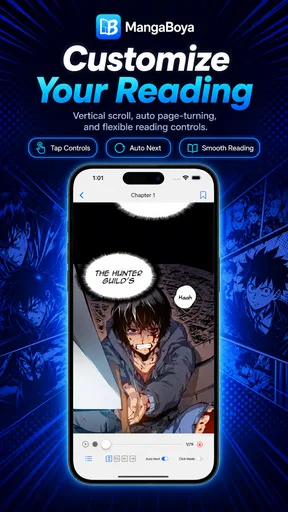
So, what makes MangaBoya different from other apps? For starters, the reading experience is top-notch. You can choose between different reading modes, like scroll or page flip. Personally, I'm a fan of the scroll mode—it feels seamless and is perfect for binge-reading. The app also allows you to bookmark your favorite series, so picking up where you left off is hassle-free.
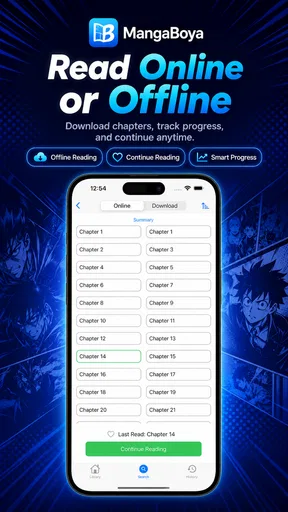
Another cool feature is the offline reading capability. I mean, who doesn't love the idea of reading their favorite manga on a long flight or during a commute without worrying about internet connectivity? Just download your chapters in advance and you're good to go!
There’s a practical trade-off between those reading modes. Continuous scrolling makes long, vertical webtoon panels feel natural, while page flipping can suit manga layouts where each page is composed as a deliberate frame. I’d switch based on the title rather than force one mode everywhere. If a scene feels cramped or the page rhythm seems wrong, changing the layout may improve the experience more than changing the screen brightness or zooming repeatedly.
Offline access is most helpful when planned, not treated as a guarantee that every title will always be available without a connection. I’d save only the chapters I expect to read soon, then open one before leaving home to confirm it is ready. This keeps the routine simple and avoids confusing an unfinished download with a broken reader. For someone who reads in short bursts between errands, a small prepared queue can be more useful than trying to cache an entire series.
Engagement and Interaction
Now, let's talk about something that really caught my attention: the social aspect. MangaBoya has a community feature where you can interact with other readers. It’s like hanging out with your friends at a comic-con, discussing plot twists and character arcs. I found myself engaging in discussions and sharing recommendations. It's always fun to see what others think about the latest chapter of your favorite series.
I’d use that social side as a discovery aid, while still keeping my own tastes in charge. A lively discussion can point you toward a genre or series you might not have searched for, but popular conversation does not automatically mean a story will suit you. If you prefer reading without spoilers, it is sensible to finish a chapter before browsing reactions, since discussion spaces can reveal plot details even when that is not your goal.
Room for Improvement?
No app is perfect, right? While MangaBoya is pretty solid, there are a couple of areas that could use a bit of polish. Sometimes, the app can lag when loading particularly large files or during peak times. But hey, a few updates could easily fix this. And while the selection is vast, there's always room to add more titles. More variety means more choices for us, the readers.
Also, I’ve noticed some ads pop up here and there, which can be slightly annoying when you're deep into a gripping story. However, it's a small price to pay for an otherwise free app, and there’s always the option to go premium if ads aren’t your thing.
Those are meaningful limits if your ideal reader is completely uninterrupted or if you depend on a specific series being present. I would check the titles I care about before making this my only comics app. The free entry point makes that trial relatively easy, but the presence of paid items does not mean spending is necessary to decide whether the reading experience works for you. I’d also be cautious about treating an upgrade as an automatic fix for every slowdown; loading delays can have other causes.
For a realistic everyday test, imagine having a few minutes during lunch and a longer ride home later. I’d browse a couple of genres during the break, bookmark one promising series, and download the next chapter before leaving a reliable connection. On the ride, I could use the saved chapter and see whether the reading mode remains comfortable on a moving commute. That routine tests discovery, continuity, and offline preparation without asking the app to replace every other way I read comics.
This makes the app a stronger match for readers who like sampling different styles, switching between manga and vertical webtoons, and keeping a casual reading habit in one place. It is less compelling for someone who wants a tightly focused catalog, has no patience for ads, or needs every favorite title to be available. Readers who mainly collect physical volumes may also prefer print for its permanence and page presentation; a phone reader is better for convenience than for recreating that experience.
Who will get the most from it
I’d recommend trying it if you read on the go, enjoy browsing beyond a single genre, and value having scroll and page-based options. The combination of bookmarks and offline reading can make it practical for a commute, a waiting room, or a quiet break when you want to pick up a story without starting your search from scratch. It can also work well as a secondary reader: keep a specialist app for a must-follow catalog and use this one when you want to explore.
I’d skip it as a primary choice if your reading depends on one particular publisher, a guaranteed ad-free session, or a catalog you have already confirmed elsewhere. The same applies if you strongly prefer reading on a larger screen or collecting books you can keep independently of an app. In those cases, a publisher-specific service, a dedicated digital bookstore, or print may match your priorities better than an all-in-one mobile reader.
Final Thoughts
Overall, MangaBoya - Webtoon & Comics has quickly become one of my favorite apps for indulging in manga and webtoons. It's easy to use, offers a fantastic range of content, and has some neat features that enhance the reading experience. Whether you’re a seasoned manga reader or someone who’s just dipping their toes into the world of comics, this app is definitely worth checking out.
So, if you’re ready to dive into a world of captivating stories and vibrant artwork, give MangaBoya a try. Who knows, you might just find your next obsession. Happy reading!
My practical verdict
MangaBoya is a free comics app from WhiteStar Studio, released on November 5, 2024, and the current version is 2.1.2. For me, its most useful combination is flexible reading, bookmarks, offline chapters, and a community to browse when I want recommendations. I would start with a few titles, check that downloads work before relying on them away from home, and decide whether the ads and available selection fit my routine before paying for anything.
My recommendation is deliberately qualified: try it if convenience and variety matter more to you than a perfectly curated, interruption-free catalog. Its teen rating is a reminder to consider age suitability, and the in-app purchase range—from $4.99 to $59.99 per item—makes it worth checking what an individual purchase covers before confirming one. If your first chapter loads smoothly and the titles you care about are there, it can earn a place in your reading rotation; if not, a more focused alternative may serve you better.
Verdict
Strengths of MangaBoya - Webtoon & Comics
- Wide variety of manga and webtoons available.
- User-friendly interface for easy navigation.
- High-quality images enhance reading experience.
- Offline reading mode for convenience.
- Regular updates with new content.
Limitations of MangaBoya - Webtoon & Comics
- Contains ads that can be intrusive.
- Limited free content without subscription.
- Occasional app crashes reported by users.
- No option for custom reading lists.
- Some translations may be inconsistent.
Similar Picks in This Category
View All
WEBTOON: Manga, Comics, Manhwa
NAVER WEBTOON4.6

MangaToon: Comic & Manga
MangaToon4.3

네이버 웹툰 - Naver Webtoon
NAVER WEBTOON4.3

Tapas – Comics and Novels
Tapas Entertainment Inc.4.2

Lezhin Comics - Daily Releases
LEZHIN ENTERTAINMENT3.3

WebComics - Webtoon & Manga
WEBCOMICS HOLDINGS HK LIMITED4.4
Frequently Asked Questions
What features does MangaBoya offer for reading comics and webtoons?
MangaBoya provides a wide range of features designed to enhance your reading experience. It offers a vast library of manga, webtoons, and comics from various genres. Users can enjoy customizable reading settings, including adjustable brightness and reading direction. Additionally, offline reading is supported, allowing you to download content for later enjoyment without an internet connection.
Is MangaBoya free to use, or does it require a subscription?
MangaBoya offers both free and premium content. While many comics and webtoons are accessible for free, some premium content may require a subscription or in-app purchases. The app often provides free trials for premium features, allowing users to explore its offerings before committing to a subscription plan.
How often is new content added to MangaBoya?
MangaBoya regularly updates its library with new manga and webtoons. Typically, new content is added weekly, ensuring a fresh and engaging experience for users. The app also notifies users of the latest releases and updates, so you can easily keep track of your favorite series.
Is MangaBoya available for both Android and iOS devices?
Yes, MangaBoya is available for download on both Android and iOS platforms. You can find it on the Google Play Store for Android devices and the Apple App Store for iOS devices. The app ensures a seamless experience across both operating systems, with consistent features and updates.
Can I customize my reading experience in MangaBoya?
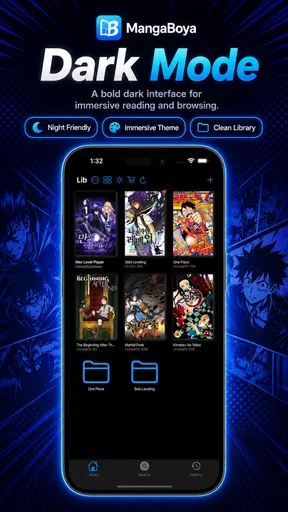
MangaBoya allows for a highly customizable reading experience. You can adjust the reading direction, choose between light and dark modes, and even change the background color to suit your preferences. These options help create a personalized environment, enhancing your comfort while reading your favorite comics and webtoons.
